Hot Desk Booking

Book, Manage, and Optimize
Flexible Workspaces

Simplify hybrid work with real-time desk booking, workspace visibility, and efficient office space management.
Hot Desk Booking

Smart Hot Desk Booking for Modern
Hybrid Workplaces

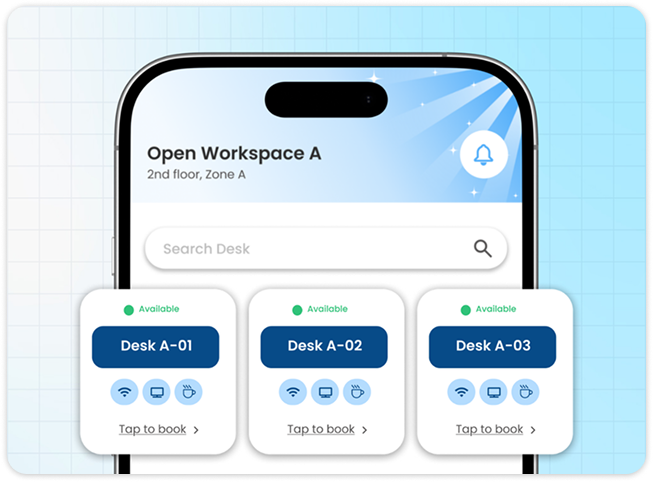
Enable seamless desk reservations, real-time availability, and flexible workspace management from one centralized platform.

HOT DESK BOOKING SYSTEM

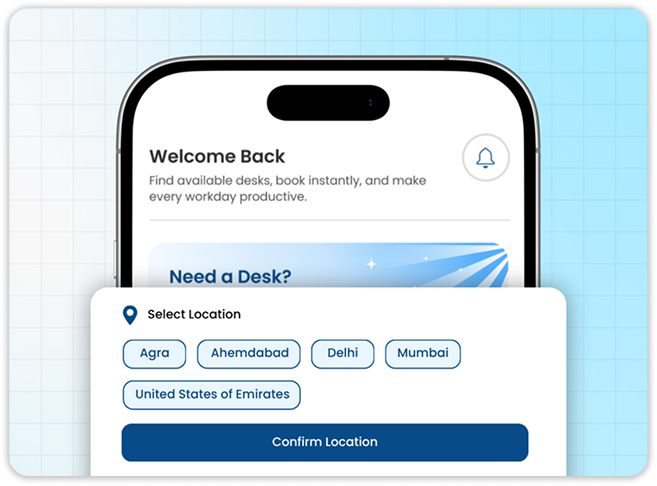
Real-Time Desk Availability & Instant Booking

View available desks in real time and reserve your preferred workspace in just a few clicks. Eliminate booking conflicts and support flexible hybrid work.

Hot Desk Booking dashboard
HOT DESK BOOKING SYSTEM

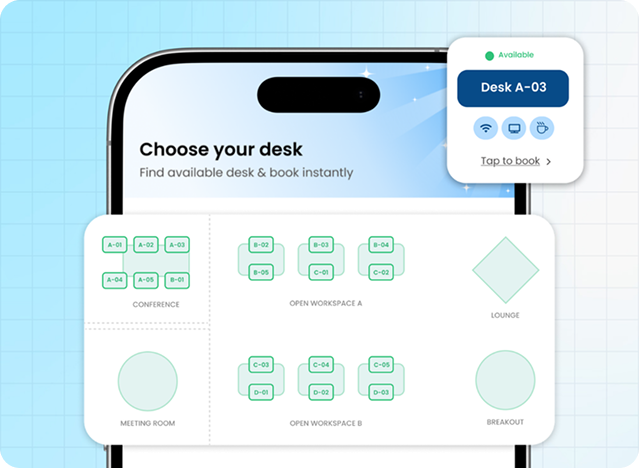
Interactive Floor Plans & Smart Desk Selection

Browse interactive office floor maps to choose desks based on location, team proximity, amenities, or personal preferences for a better workplace experience.

HOT DESK BOOKING SYSTEM

Flexible Booking Schedules & Recurring Reservations

Book desks by the hour, day, or week, and create recurring reservations to simplify workspace planning for hybrid and remote employees.

Meeting Room Scheduling dashboard
Employee and Queue Management dashboard
HOT DESK BOOKING SYSTEM

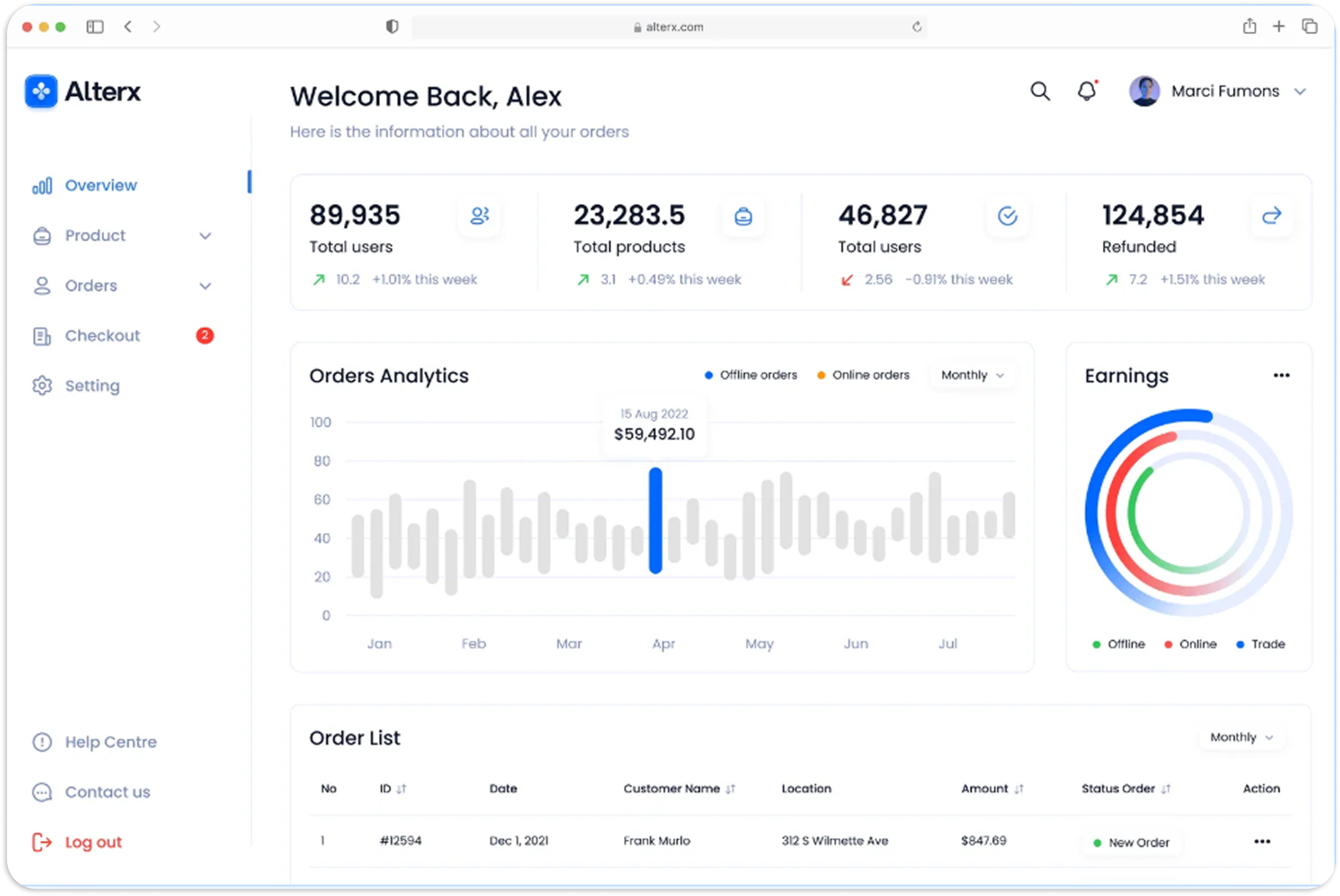
Workspace Analytics & Occupancy Insights

Track desk utilization, occupancy trends, and workspace demand with real-time dashboards to optimize office space and improve workplace efficiency.

The Visitor Journey

How Hot Desk Booking
Works in Enterlyze

Enable seamless desk reservations, enhance collaboration, and optimize workspace utilization across your office.

Search and compare meeting rooms
Step 01

Select Your Office & Workspace

Choose your office location, floor, and preferred workspace to view available desks tailored to your workplace.

Book a meeting room in one click
Step 02

Explore the Interactive Floor Plan

Browse a live floor map to view available, occupied, and reserved desks, making it easy to find the ideal workspace.

Check in and claim your meeting room
Step 03

Book Your Preferred Desk

Select your preferred desk, choose the booking date and duration, and confirm your reservation instantly in just a few clicks.

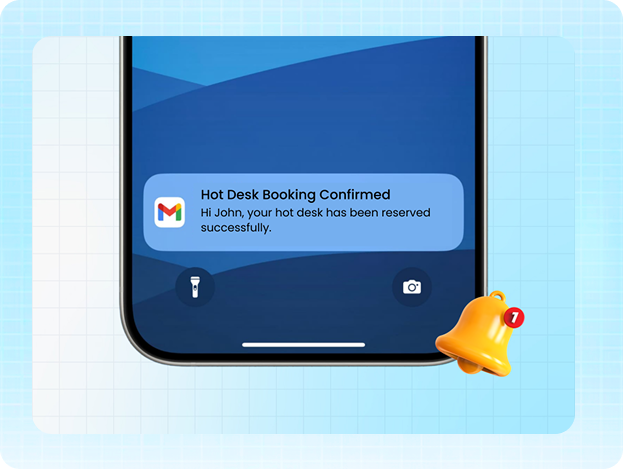
Get notified about meeting room changes
Step 04

Monitor Desk Utilization

Track desk occupancy, booking status, and workspace usage through real-time dashboards to optimize office space and support hybrid work.

Industries We Serve

One Platform for Every Arrival

Stop paying for disconnected tools. Enterlyze brings visitor check-in, desk booking, room scheduling, employee tracking, deliveries, and queue management into one joined up system.

Corporate & IT Offices

Client and vendor check-in with host alerts and NDA capture.

Hospitals & Clinics

Client and vendor check-in with host alerts and NDA capture.

Educational Institutions

Client and vendor check-in with host alerts and NDA capture.

Government Buildings

Client and vendor check-in with host alerts and NDA capture.

Event Venues

Fast, contactless entry even at high-volume gates.

Hotels & Guesthouses

A polished, branded arrival moment for every guest.

Manufacturing & Industrial

Safety briefings and access zones for contractors and visitors.

Apartment Complexes

Log guests, deliveries and service staff at the gate.

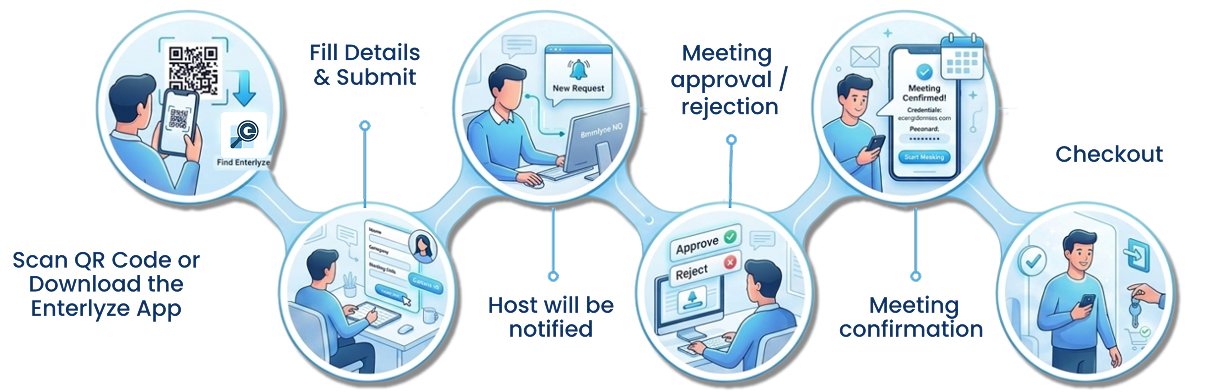
The Visitor Journey

Six checkpoints. Zero paper.

From the moment a visit is planned to the moment your guest walks out the door, Enterlyze keeps the front desk, the host, and security looking at the same record.

Visitor Journey
Powerful Integrations

Integrated for Faster Communication

Get real-time notifications on WhatsApp and Microsoft Teams, so no important update is ever missed.

Request a Demo
WhatsApp and Microsoft Teams integrations
Blogs

Best Practices For Efficient Workplaces

Stop paying for disconnected tools. Enterlyze brings visitor check-in, desk booking, room scheduling, employee tracking, deliveries, and queue management into one joined up system.

Loading articles…

View all blogs
FAQ

Frequently asked questions

Find quick answers to common questions about our Workplace Management System.

Request a Demo

[Placeholder answer — replace with the real content.]

[Placeholder answer — replace with the real content.]

[Placeholder answer — replace with the real content.]

[Placeholder answer — replace with the real content.]